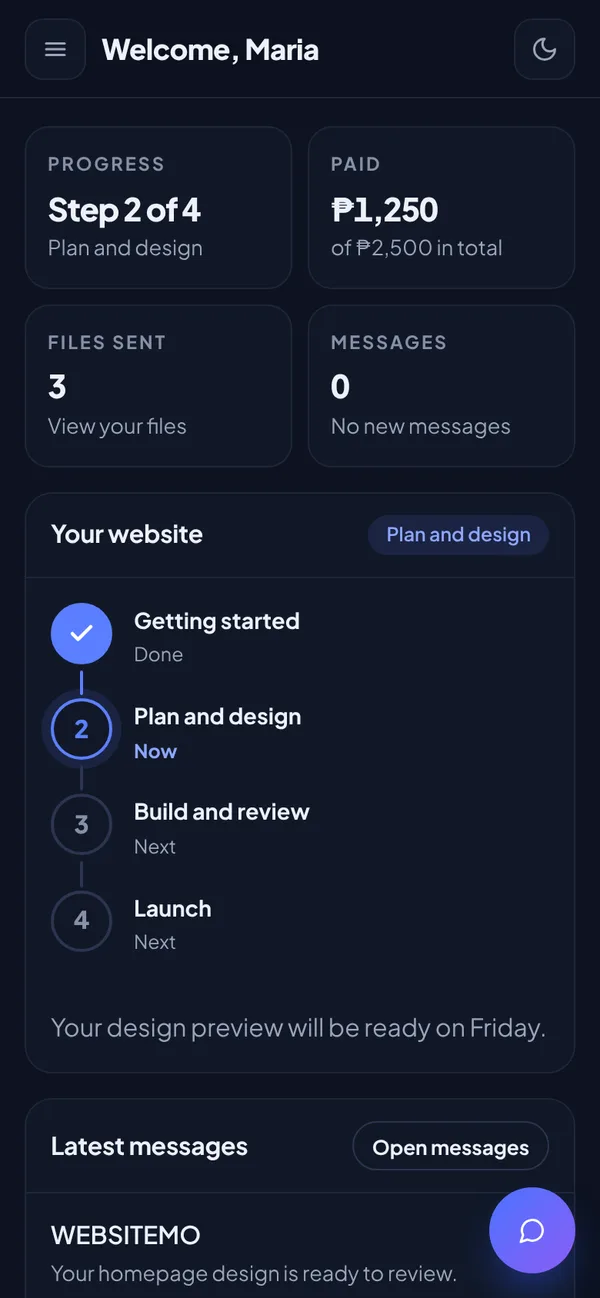

Mobile app

Your website project, in your pocket.

Follow each step, send your files and message us from your phone. Get a notification the moment we reply.

Version 2.2 · 3.6 MB · Android 8 or newer · Free

Notifications

Know right away when we reply or when your website moves to the next step.

Your progress

See each step of your website, from planning to launch.

Send files

Send your logo, photos and text straight from your phone.

Messages

Talk with us about your website at any time.

Install

Ready in about a minute.

Choose your phone and follow three short steps.

Android

Install the app
Android 8 or newer
  1. 1
    Download

    Tap Download for Android to save the app on your phone.

  2. 2
    Allow and install

    Open the file. If your phone asks, allow installs from your browser, then tap Install.

  3. 3
    Sign in

    Open WEBSITEMO, sign in and turn on notifications.

Download for Android Not on Google Play yet. Download it only from this page.

iPhone

Add to your Home Screen
iOS 16.4 or newer
  1. 1
    Open in Safari

    Go to websitemo.com/client and sign in.

  2. 2
    Add to Home Screen

    Tap Share, then Add to Home Screen.

  3. 3
    Turn on notifications

    Open WEBSITEMO from your Home Screen and tap Turn on notifications.

Open the client area Works like an app, with notifications.